
Diwa Rich Register: How to Create a Free Account Step by Step
New to Diwa Rich? This guide explains who can register, what you need, how to sign up in a few steps, how referral codes work and how to fix common registration problems.
Table of Contents
Diwa Rich Registration Overview
Creating a Diwa Rich account is quick and needs only a few details. Taking a minute to register carefully, with a number you control and a strong password, prevents most of the delays people run into later with verification and withdrawals. This guide covers who can register, what you need, each step, referral codes and the common errors to avoid.
| Step | Details |
|---|---|
| 1 | Install the official app |
| 2 | Tap Register |
| 3 | Enter your mobile number |
| 4 | Create a strong password |
| 5 | Add a referral code if you have one |
| 6 | Confirm and verify |
Who Can Register?
- You must be 18 years of age or older.
- Real-money gaming must be legal in the place where you live.
- You may keep only one account per person.
- The details you enter must be your own.
What You Need Before You Register
- An Android phone running 6.0 or higher with the official app installed
- An active mobile number with SMS access
- A strong password you have not used elsewhere
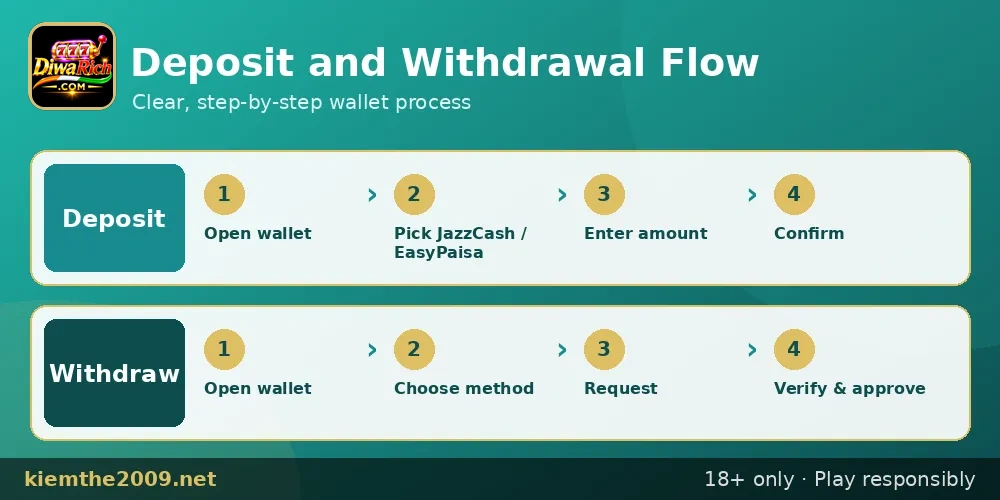
- A JazzCash or EasyPaisa account in your own name, for deposits and withdrawals
- A referral code, if a friend invited you
How to Register for Free, Step by Step
- Open the app and tap Register.
- Enter an active mobile number that you control.
- Create a strong, unique password.
- Enter a referral code if you have one.
- Review the details and agree to the terms after reading them.
- Tap Confirm and enter the verification code if prompted.
- Log in and explore the lobby.
How to Choose a Strong Password
Use at least ten characters with a mix of letters, numbers and symbols. Avoid birthdays, phone numbers and common words. A password manager can store several unique passwords safely.
Using a Referral Code
If a friend invited you, enter their referral code during registration. Codes usually cannot be added later, so do it at sign-up. Referral rewards depend on the activity of invited users, and nobody should promise guaranteed income from inviting others.
Account Verification
A short verification step confirms your details and protects your wallet. Make sure the name and number you register match the payment wallet you will use. Mismatched details are the most common reason that withdrawals are delayed.
After You Register
- Log in and check that your number and profile details are correct.
- Read the terms of any welcome bonus before accepting it.
- Set a personal budget before making a deposit.
- Start with a small deposit and confirm that the process works.
- Save your recovery details in a safe place.
Registration Problems and Fixes
| Problem | Fix |
|---|---|
| Number already registered | Log in or use password recovery instead of creating another account |
| No verification code | Check signal, wait a minute and request one new code |
| Password rejected | Use a longer password with letters, numbers and symbols |
| Referral code not accepted | Check for typing errors or ask the person who invited you |
| App will not open | Update or reinstall the official APK |
Frequently Asked Questions
Is Diwa Rich registration free?
Who can register?
Which details do I need to register?
Can I add a referral code after registering?
Can I have more than one account?
Why do I need to verify my account?
More Official Pages
Disclaimer: This site is an independent editorial resource and may contain affiliate links. Nothing here is financial or legal advice. Games of chance involve risk and are for adults 18+ only. Check that real-money gaming is legal where you live. If gambling is causing you stress or financial harm, stop playing and seek support from a local help service. Read our full disclaimer.