
Diwa Rich APK Download for Android: Safe Install Guide (2026)
Looking for the Diwa Rich APK? This page covers the official download, how to install it step by step, what your Android phone needs, how to verify the file and how to fix the most common installation errors.
Table of Contents
- Diwa Rich APK Overview
- Why Is the App an APK and Not on Google Play?
- System Requirements
- How to Download and Install the Diwa Rich APK
- How to Check That the APK Is Genuine
- Installation Problems and Fixes
- How to Update the App
- How to Uninstall the App
- Permissions and Privacy
- Frequently Asked Questions
- More Official Pages
Diwa Rich APK Overview
This page explains how to download and install the Diwa Rich APK on Android, what the file requires from your phone and how to check that you are installing the genuine version. The app is distributed as an APK rather than through the Google Play Store, so a few extra safety steps are worth taking before you tap Install.
| Detail | Information |
|---|---|
| App Name | Diwa Rich |
| File Type | APK (Android package) |
| Size | Under 10 MB (confirm the size on the download page) |
| Android Version | Android 6.0 or higher |
| Languages | English, Urdu |
| Payments | JazzCash, EasyPaisa |
| Age | 18+ only |
| Price | Free to download |
Why Is the App an APK and Not on Google Play?
Many real-money gaming apps are shared as APK files because app stores restrict this category in some regions. An APK is simply the installer file for Android. It is not unsafe by itself, but because Google has not reviewed the file, you carry more responsibility for confirming where it came from.
System Requirements
| Requirement | Recommended |
|---|---|
| Operating system | Android 6.0 or higher |
| Free storage | At least 100 MB for the app, updates and cache |
| Memory | 2 GB RAM or more for smoother play |
| Internet | Stable mobile data or Wi-Fi |
| Browser | Chrome or the default browser for downloading |
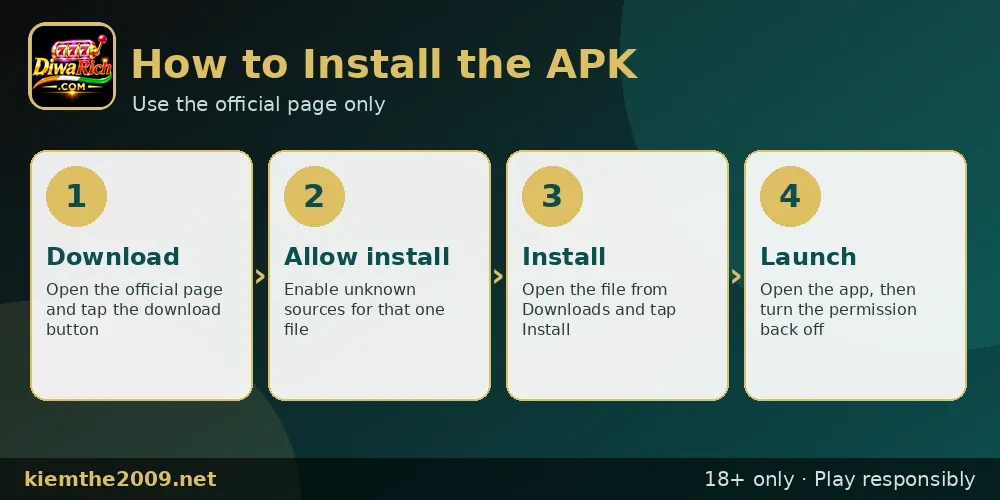
How to Download and Install the Diwa Rich APK
- Open the official Diwa Rich download page in your mobile browser.
- Tap the Download APK button and wait for the file to finish.
- If Android warns that the file may be harmful, read the prompt and continue only if you are on the official page.
- Open Settings and allow installation from unknown sources for your browser or file manager.
- Open the file from your Downloads folder and tap Install.
- Open the app and register or log in.
- Return to Settings and turn off the unknown-sources permission again.
Where Do I Find the Allow Unknown Sources Setting?
On most phones, go to Settings, then Apps or Security, then Special app access and choose Install unknown apps. Select the browser or file manager you used and switch on Allow from this source. Menu names vary between brands, so use the search box in Settings if you cannot find it.
How to Check That the APK Is Genuine
- Download only from the official page and check the address carefully.
- Be suspicious of files sent through chat groups, social media or comment links.
- Compare the file size with the size shown on the download page.
- Scan the file with a trusted mobile security app before installing.
- Review the permissions the app asks for and deny anything unrelated to games or payments.
- Avoid any file that claims to be modified, cracked or hacked.
Installation Problems and Fixes
| Problem | Fix |
|---|---|
| App not installed | Free up storage, delete any older copy and download the file again |
| Parse error | The download may be incomplete or the Android version too old |
| Blocked by Play Protect | Read the warning, confirm the source is official and choose to install only if you are sure |
| Download keeps failing | Switch between Wi-Fi and mobile data, or try another browser |
| App opens then closes | Restart the phone, clear storage space and reinstall the latest official APK |
| Install button greyed out | Allow unknown sources for the app you opened the file with |
How to Update the App
Because the app does not update through the Play Store, check the official download page from time to time. Download the new file from the same page and install it over the existing app. Your account data is stored online, so updating should not remove your balance or history. Log out and back in if the app behaves oddly after an update.
How to Uninstall the App
Withdraw any remaining balance first. Then open Settings, go to Apps, choose Diwa Rich and tap Uninstall. To close your account entirely, contact support instead of just deleting the app.
Permissions and Privacy
Any app that handles accounts and payments collects some data, usually your phone number and transaction history. Read the privacy information on the official site, deny permissions you do not need and never share verification codes. If you notice unusual permission requests after an update, uninstall the app and report the issue.
Frequently Asked Questions
Is the Diwa Rich APK free?
Is the Diwa Rich APK safe?
Which Android version do I need?
Why does Android warn me when installing?
Does the Diwa Rich app work on iPhone?
How do I update the app?
What if the APK will not install?
More Official Pages
Disclaimer: This site is an independent editorial resource and may contain affiliate links. Nothing here is financial or legal advice. Games of chance involve risk and are for adults 18+ only. Check that real-money gaming is legal where you live. If gambling is causing you stress or financial harm, stop playing and seek support from a local help service. Read our full disclaimer.